
I have 3 cameras that I use to shoot video for my social documentary work in the developing world. My main camera is a Sony EX1, however, since I’m carrying a Canon Mark II 5D I often use it as a second camera in my interviews. Also when I want a short depth of field or to use special lenses I use the 5D. I also carry the small Panasonic TM 700 when I want to be more inconspicuous, like shooting in Tibet.
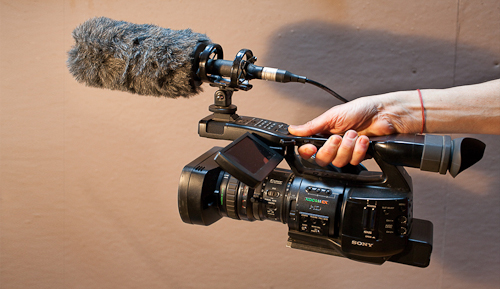 Sony EX1
For those of you who use any of these cameras and want to combine and sync the footage you may find the following useful.
Each camera produces files in it’s own proprietary format. The problem arises when I try to bring these different formats into Final Cut Pro 7. Sony’s XD Cam; Panasonic’s MTS files; and the 5D format are best converted to ProRes 422 to be edited in FCP. I just spent 3 days online trying to find the easiest way to convert the files to bring into FCP. Finally out of frustration I turned to an editor friend, Ryan Horner. His workflow is to bring everything in via the Log and Transfer window, however, before you do you need to get the proper plugins. You can find the following plugins below:
For the 5D–Canon EOS movie plugin for Final Cut Pro –
1. Go to this site
2. Select your computer OS (Mac) from the drop down menu.
3. Choose Mac OSX not Mac OSX with a version number on it.
4. Choose 3rd one down called – ce1120x.dmg.zip
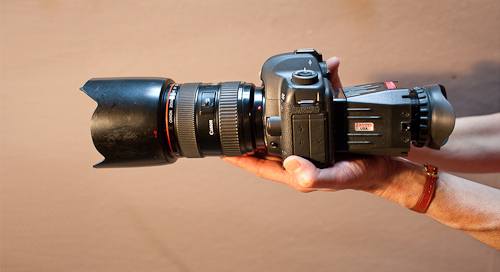 5D Mark II
For the Sony EX1–Sony XD Cam plug in for Final Cut pro (Use FireFox instead of Safari)
1. Download the plugin here
2. Move the zip file to your desktop.
3. Double click it and follow the steps.
The Panasonic TM 700 doesn’t need a plugin, but does require transcoding software.
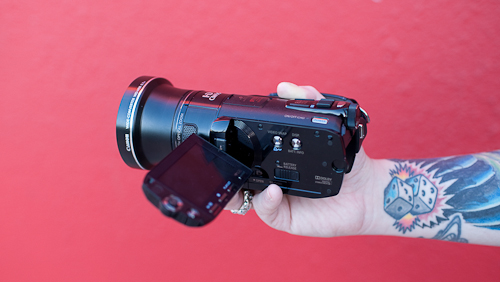 Panasonic TM700
For the best quality I shoot the Panasonic TM 700 at 1080/ 60p. Unfortunately FCP 7 does not handle 1080/60p. The AVCHD files must first be converted to Pro Res 422. The best transcoding software I have found for this job is Clip Wrap. Once transcoded you can bring in the files through the Log and Transfer window.
I hope this helps.
Phil Borges
Thank you for your comments. I am glad that you are finding these posts helpful
laberg
Thank you for your posts. I do similar work, and it’s interesting to see your workflow. How do you carry your ex1, 5d, and lenses on the airlines? Do you carry everything on board?
Phil Borges
Yes, I take it all as carry on.
Phylis Isabel
I wanted to put you a very little remark so as to thank you the moment again with your exceptional secrets you have provided in this case. This is quite strangely open-handed of you to give publicly all that many people could have offered for an e-book to earn some cash on their own, principally since you could possibly have tried it in case you wanted. The thoughts as well worked to be a easy way to fully grasp other individuals have similar zeal just as my own to find out way more on the topic of this issue. I am certain there are many more pleasurable instances ahead for individuals who look over your site.
Phil Borges
Thank you Phylis, I appreciate your comments and I am very glad the information is helpful to others.
http://www.falconelli.it/--contacts.php?id=33f3j8oy
Greetings! This is my 1st comment here so I just wanted to give a quick shout
out and say I truly enjoy reading through your articles.
Can you suggest any other blogs/websites/forums that deal with the
same subjects? Thanks a ton!
Phil Borges
Thanks. I would check out Philip Bloom and MediaStorm’s training.