
In my last blog I talked about the equipment I am using for multimedia. Sound is such a critical part of multimedia production that I would like to elaborate on the sound equipment I use.
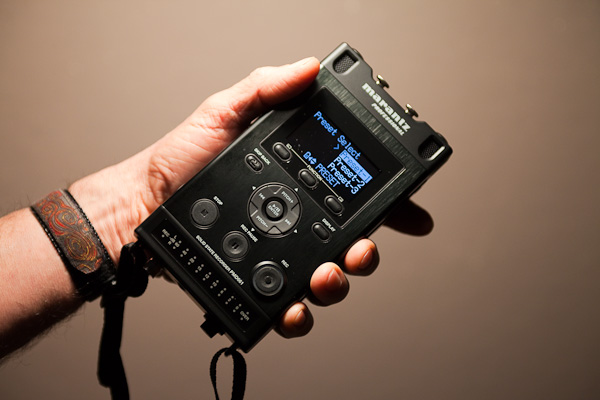
In multimedia you can get away with mediocre images much easier than poor sound. To get good sound you need to go to an external DAT recorder like the Marantz 661 ($600) or the popular Zoom H4N ($350). Both have internal mics but to get good sound you need to get some good external mics. I use the Sennheiser MKH 416 or a wireless lavalier for interviews and the Audio Technica 825 stereo mic for ambient sounds.
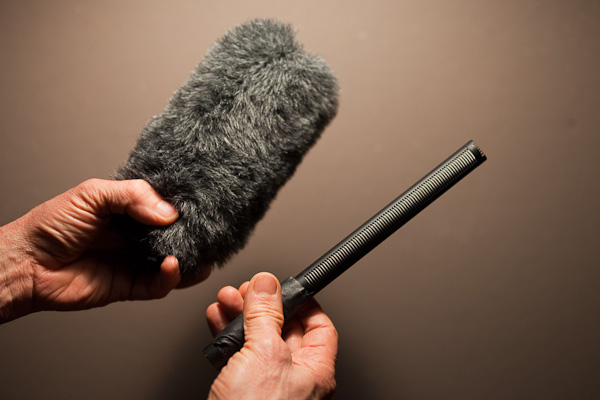
The Automatic Gain Control on the 5D Mark II makes it impossible to record a decent sound track. When recording sound you want your input volume control to be at a steady level. The AGC raises the volume setting any time there is a period of silence resulting in weird volume fluctuations through out the recording. Unfortunately this is not a setting that can be turned off. If you want to get away from carrying a DAT recorder and the extra hassle of syncing sound in post production Beach Tek has a solution to get around the AGC, but it still does not deliver the sound quality of the Marantz 661 (24bit/ 96kHz). I decided to beef up the 661 a little further by getting it through Doug Oade who replaces the stock 661 mic pre amps for an extra $160 to increase the signal to noise ratio. His site is a good source for info on field recording.
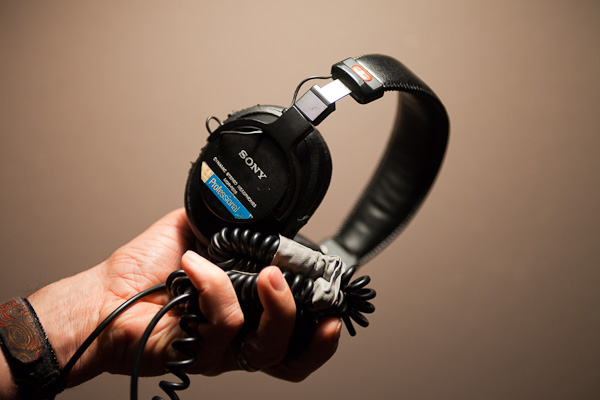
And finally it is necessary to listen to your sound throughout your entire recording. A good pair of headphones is a must. The industry standard is the Sony MDR 7506 ($100). You wouldn’t take a picture without looking through the view finder, so why would you record sound without monitoring it.
I recently watched Sound for Film and Television, which I recommend for a good and entertaining tutorial. If you have any resources you recommend please share!
Cheryl Hanna-Truscott
Good info. I think I have what I need except for the headphones. That said, the most challenging part is putting it all together to make a compelling story! Taking first steps… haven’t yet been able to work with the Center for Digital Story Telling (on Julee’s recommendation)…but at least can’t blame the equipment! 🙂 Thanks again!
Rob
Great, useful post! Hopefully that new 5D2 firmware update makes it a bit easier to record sound 🙂
Jerry D. Greer
Phil,
It looks like Canon has answered our call of new firmware fixing a lot of the problems shooting video with the 5D MK2. Check out the link http://www.usa.canon.com/dlc/controller?act=GetArticleAct&articleID=3287
BTW, love your work!
Jerry Greer
James
I’m using a Sennheiser ME66 on my 5D MkII but I’m only getting signal on the left side. I know the mic is mono and the mic input is stereo, but what is the most cost effective way to get audio on both sides?
Phil Borges
I don’t run my sound through the 5D. I run it into a Mirantz 661 and sync with pluraleyes.